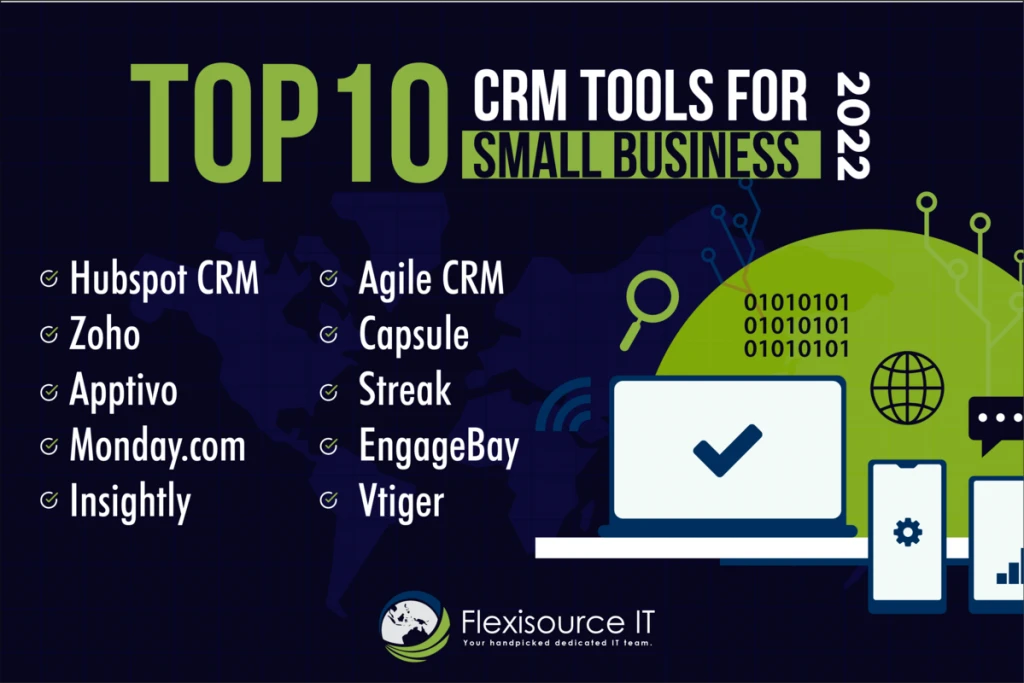
For small teams needing a zero-cost system, the top free CRM tools are HubSpot (best for 1–2 user inbound marketing teams needing email sync), Zoho CRM (best for 3 users managing high record volumes), EngageBay (best for teams up to 15 seats with compact lead lists), and Streak (best for solo founders working directly inside Gmail). Each tool balances free user seats against contact caps and automation depth. With up to two users, 1,000 contacts, and no limits on customer data, HubSpot’s free tier provides core CRM functionality with no expiration date and no credit card required. Selecting the right platform requires evaluating how these vendor-enforced limits align with your actual operational capacity.
The Best Free CRM Tools for Small Teams by Use Case
The best free CRM for small teams depends on operational focus: HubSpot Free suits 1–2 person inbound teams needing marketing forms and email sync; Zoho CRM supports up to 3 users with 5,000 records; while EngageBay provides up to 15 free seats but restricts contact capacity to 250 records.
Every zero-cost CRM enforces a commercial trade-off between user seats and total record capacity. Selecting the right platform requires matching your team’s direct sales workflow against these architectural ceilings before entering customer data.
CRM Tool |
Free Seat Cap |
Contact / Record Cap |
Native Email Sync Included |
Best For |
|---|---|---|---|---|
HubSpot Free |
2 users |
1,000 contacts |
Yes (Gmail & Outlook) |
Inbound lead capture and email tracking |
Zoho CRM |
3 users |
5,000 records |
No (requires paid edition) |
High-volume record storage |
EngageBay |
15 users |
250 contacts |
Yes |
Multi-user sales, marketing, and support |
Capsule CRM |
2 users |
250 contacts |
Yes |
Consultants and compact service pipelines |
Salesforce Free Suite |
2 users |
Standard storage (100 sends/month) |
Limited |
Foundational lead tracking |
Freshsales |
3 users |
Unlimited contacts |
Yes |
Direct in-app calling and AI lead scoring |
Bitrix24 |
Unlimited users |
5 GB cloud storage |
Yes |
24/7 web chat and project collaboration |
Streak |
1 user |
500 contacts |
Yes (Gmail native) |
Inbox-centric sales processes |
Evaluating these metrics reveals clear boundaries. While EngageBay offers up to 15 user seats, its 250-contact ceiling restricts sustained prospecting. Conversely, Zoho CRM provides storage for up to 5,000 records across 3 seats, and HubSpot caps access at 2 users with 1,000 contacts.
Top Free CRM Platforms Evaluated for Small Workflows
Free CRM software gives small businesses contact management and sales tracking capabilities without monthly subscription charges. Modern free tiers include artificial intelligence capabilities, email marketing, and cloud access that previously required paid plans. Evaluating platforms against real-world daily workflows reveals how each software handles specific operating constraints.
HubSpot Free: Best for Inbound Marketing and Customer Support
HubSpot supports up to 2 users and 1,000 contacts on its free plan without requiring a credit card or enforcing trial expirations. The platform is used by 306,000 customers across 135 countries, earning recognition as a G2 grid leader for small business CRM. It aggregates leads through embedded website forms, live chat widgets, and shared team inboxes for customer support tickets.
The free tier synchronizes directly with Gmail and Outlook, logging outbound messages and email opens directly into contact activity feeds. Teams also gain access to more than 2,000 business apps in the HubSpot Marketplace, providing reliable expansion paths. The primary limitation centers on user capacity: adding a third sales representative requires upgrading the entire team to paid subscription seats.
Zoho CRM and Bigin: Best for High-Volume Record Storage
Zoho CRM provides a free edition for up to 3 users with a generous allowance of 5,000 database records. This capacity makes it suitable for small operations managing substantial volumes of leads, accounts, and historical deal logs. The system includes deal tracking, lead scoring, and automated task reminders for quote follow-ups.
However, Zoho CRM’s free tier omits native Gmail and Outlook two-way synchronization, requiring sales representatives to log client communications manually. For solopreneurs and small setups seeking a streamlined interface, Bigin by Zoho offers an alternative pipeline-first layout. Bigin restricts storage to 500 records on its free tier, focusing strictly on deal stages and activity cards rather than extensive multi-module data architectures.
EngageBay and Capsule: Best for Multi-User Collaboration on Low Volume
EngageBay centralizes sales CRM tools, email marketing campaigns, and customer support ticketing into a unified platform. It provides access for up to 15 users on its free edition, making it an accessible option for collaborative teams. The operational bottleneck is its hard ceiling of 250 contacts. This constraint suits boutique agencies, specialized consultancies, and commercial teams running targeted outreach to small client accounts.
Capsule CRM adopts a similar micro-tier approach, catering directly to small service teams and consultants. The free plan supports 2 users, 250 contacts, 5 custom fields, and 1 active sales pipeline. While its custom field and pipeline caps prevent complex deal segregation, Capsule delivers an organized workspace for tracking straightforward service interactions. Small teams prioritizing audience behavior segmentation over pipelines can also look at Mailchimp’s free CRM functionality, while teams operating exclusively in desktop Microsoft environments can evaluate eWay-CRM for direct Outlook integration.
Freshsales and Bitrix24: Best for In-App Calling and 24/7 AI Chat
Freshsales supports up to 3 users and includes built-in phone, chat, and email communication channels directly within its core interface. Its free edition incorporates AI-based lead scoring and predictive deal insights, helping representatives identify prospects showing high engagement. In-app calling eliminates the expense of external VoIP softphones for outbound prospecting.
Bitrix24 takes an alternative operational approach by offering 5 GB of cloud storage and supporting unlimited user accounts on its no-cost tier. To handle inbound website inquiries, the platform integrates Bitrix24 Co-pilot, allowing small teams to deploy an AI chatbot on their digital storefronts to capture leads 24/7. The software also houses collaborative project boards, task management, and document storage.
Streak and Insightly: Best for Gmail-Native Tracking and Project Handoff
Streak functions entirely inside the user’s Gmail interface, eliminating the context-switching associated with standalone software. Solo founders and micro-teams can manage sales pipelines, track email opens, and review contact histories directly alongside inbox email threads. Streak operates smoothly for businesses that run operations from email, though scaling across multiple team members requires disciplined shared-label management.
Insightly addresses post-sale workflows by including native project management on its free tier. In service businesses, closing a transaction marks the beginning of operational execution. Insightly allows closed-won sales deals to convert directly into structured projects with task lists, milestone trackers, and owner assignments, preventing operational handoff delays between sales leads and project delivery staff.
The Freemium Capacity Trap: Seats vs. Contact Limits
Free CRM platforms impose hard limits on either user seats or record counts. HubSpot and Salesforce strictly cap access at 2 users, while Zoho allows 3 users. Conversely, EngageBay grants up to 15 user seats but enforces a rigid 250-contact limit, requiring immediate upgrades once your outreach scales.
Software providers design free tiers to serve as customer acquisition channels. When evaluating platforms, teams must differentiate between seat-heavy architectures and contact-heavy architectures. EngageBay provides 15 user seats, but a pipeline holding only 250 contacts can be exhausted within weeks of launching outbound campaigns. Conversely, HubSpot offers 1,000 contacts and Zoho provides 5,000 records, but both lock out small teams the moment a third or fourth employee joins the sales operation.
Community feedback from small business operators reflects this operational tension. In discussions on Reddit, community contributor u/Ok-Prompt3555 noted:
“Free CRMs are traps for 90%+ of businesses.”
Similarly, Reddit user u/ForeignBunch1017 highlighted the practical friction point when expanding operations:
“the free tier trap is real with most CRMs. hubspot free looks great until you need more than 2 users or any automation, then you’re on a paid plan fast.”
Salesforce Free Suite enforces a similar dynamic, capping access at 2 users with a limit of 100 email marketing sends per month and zero support for custom data objects. Once your team expands past these boundaries, retroactive pricing models require paying full retail subscription rates for all active seats.
Permission Control and the Super Admin Security Risk
Role-based access control (RBAC) represents a critical security vulnerability within free CRM software. Platforms frequently cut operational security controls from entry-level editions, exposing businesses to unintended data leaks and accidental file overwrites.
Zoho CRM’s free tier presents a notable administrative concern: every invited user is automatically granted Super Admin privileges. The platform does not allow account owners to downgrade permissions or restrict visibility on the free edition. As a result, junior sales representatives, temporary contractors, and administrative assistants gain identical administrative authority to the company founder. Any user can export the entire customer database, alter global pipeline stages, delete custom fields, or purge records without administrative oversight.
HubSpot Free handles administrative security differently by including fine-grained user permissions on its zero-cost plan. Account owners can restrict individual team members from editing specific deal stages, view-protect sensitive accounts, and disable bulk data export permissions entirely.
Small teams deploying platforms without partitioned access controls must practice strict operational governance:
- Establish explicit data-handling rules that prohibit manual record deletions without managerial approval.
- Avoid inviting unvetted third-party contractors or short-term staff directly into unpartitioned CRM environments.
- Store high-liability billing data and private client notes outside the shared CRM workspace.
- Schedule automated off-site backups to retain clean snapshots of your sales records.
Data Lock-In and Migration Headaches When Outgrowing Free Plans
Moving customer records out of a free CRM often creates operational friction. Migrating basic contact records and deal stages between platforms such as Zoho and HubSpot typically requires 2 to 4 weeks of data formatting, schema realignment, and duplicate reconciliation. Free plans rarely format exported files to match the data schema of competing software.
Additionally, free tiers offered by providers like Freshsales and Salesforce omit automated workflow triggers. Teams become accustomed to manual tracking, making migration to automated logic complex. To avoid data lock-in and administrative disruption when outgrowing entry-level software, maintain disciplined database hygiene using this four-point checklist:
- Standardize data properties early: Use universal naming conventions for core properties (such as email, phone, company name, and deal stage) to prevent field corruption during database transfers.
- Log correspondence in standard note fields: Proprietary timeline logs and custom activity streams often fail to transfer across standard CSV exports. Store critical client history in exportable, plain-text fields.
- Perform bi-weekly manual database exports: Download full CSV backups of your leads, contacts, deals, and accounts twice a month to maintain an independent company-owned archive.
- Avoid non-transferable proprietary configurations: Limit structural reliance on platform-specific custom modules that cannot be mapped 1-to-1 to standard relational CRM tables.
How to Choose the Right Free CRM for Your Team Setup
To choose the right free CRM, align the platform with your primary operational constraint: pick HubSpot for inbound lead capture with email sync, Zoho CRM for high record volumes under 3 users, EngageBay for multi-user collaboration under 250 contacts, or Streak if you run your sales process exclusively inside Gmail.
Selecting the right software requires evaluating your communication style and daily lead sources rather than comparing feature counts. Match your operating model directly to proven software architectures:
- Inbound content and marketing teams: HubSpot Free provides the most cohesive infrastructure for web lead aggregation and form tracking. Chris Niejadlik noted that HubSpot CRM serves as “a great lead generation tool and lead contact aggregator” that operates online from any device, confirming that its free plan makes it a viable tool for smaller businesses with smaller sales teams.
- High-volume outbound sales operations: Zoho CRM offers the record capacity necessary to track thousands of prospects across long sales cycles. Small business operator Hillary Louarti documented that Zoho “is a great way to have a CRM that fits your budget” and “can be set-up to send reminders to your sales team to do follow-ups to quotes, which is important in getting contracts signed.”
- Agencies managing post-sale project execution: Insightly converts won deals into tracked projects without requiring duplicate data entry or external project tools.
- Single-founder operations: Streak delivers full pipeline tracking directly within Gmail inbox threads, eliminating external software interfaces.
When rolling out any zero-cost platform, use a progressive automation approach. Start with one or two automated processes, such as setting up automatic email replies for incoming web leads or configuring follow-up task reminders for sales reps. Add advanced workflow stages only after your team consistently updates deal statuses.
Finally, verify essential external integrations before onboarding team members. Connecting document automation software enables sales reps to create, send, and electronically sign client proposals directly alongside their CRM records, ensuring transactions close smoothly without paying for premium software suites.
FAQ
Can small teams connect external automations to free CRM tiers?
Most free tiers restrict native workflow automations. Freshsales and Salesforce Free include zero automated native workflows, requiring manual data updates. While external document automation tools integrate with HubSpot and Zoho for proposal signing, comprehensive webhook access and continuous third-party automations typically require upgrading to paid subscription plans.
What happens when our team hires past the free user limit?
Exceeding the free user limit terminates your free tier status. Platforms like HubSpot strictly cap free access at 2 users, while Zoho caps free access at 3 users. Adding an additional team member converts your account into a standard commercial tier, requiring monthly per-seat subscription payments for all active users.
Does Zoho CRM Free include native Gmail or Outlook email syncing?
No. While HubSpot Free includes direct Gmail and Outlook synchronization on its zero-cost tier, Zoho CRM’s free plan omits native email inbox integration. Team members must manually log communication histories or upgrade to Zoho’s paid editions to unlock automatic two-way inbox message synchronization.
Is company data safe when junior team members use free CRM software?
Data security depends on available permission controls. In Zoho CRM’s free edition, every user receives universal Super Admin rights, allowing junior staff or contractors to alter pipelines and export or delete records. Conversely, HubSpot Free provides granular user access controls to restrict editing and protect sensitive company records.